150
Monochromatic HDR Photography
If you are creating digital black and white photos,
don’t just drop your color information. To get black
and white photos with good tonal range, and subtle
tonal variations, you need the color information as
well as the grayscale, or black, data. This is particularly
true with monochromatic HDR imagery.
The first reason that you need the color data included
in your image file is intuitively obvious. An RGB
image with all three color channels (Red, Green, and
Blue), has three times more data than a single-channel
black image. As you’d expect, grayscale files are about
one third the size—and contain about one third
the data—of the same image with the RGB color
information.
Size, of course, isn’t everything, and with photo-
graphic data the quality of that data often counts
more than how much data there is.
This leads to the second point about retaining color
information even if you are ultimately creating a
monochromatic image. Having the visual information
in the photo separated into colors channels allows you
to be more flexible and creative with how the color is
converted to black and white. For example, you can use
a digital filter that primarily operates on only one of the
channels—and decide which area of the image should
have this channel operation, and which shouldn’t.
Bear in mind that selective operations with color can
be performed in two different steps in the monochro-
matic HDR best practices workflow: in both the work
to process the color image, and in the subsequent
conversion to monochrome.
Using Color Information
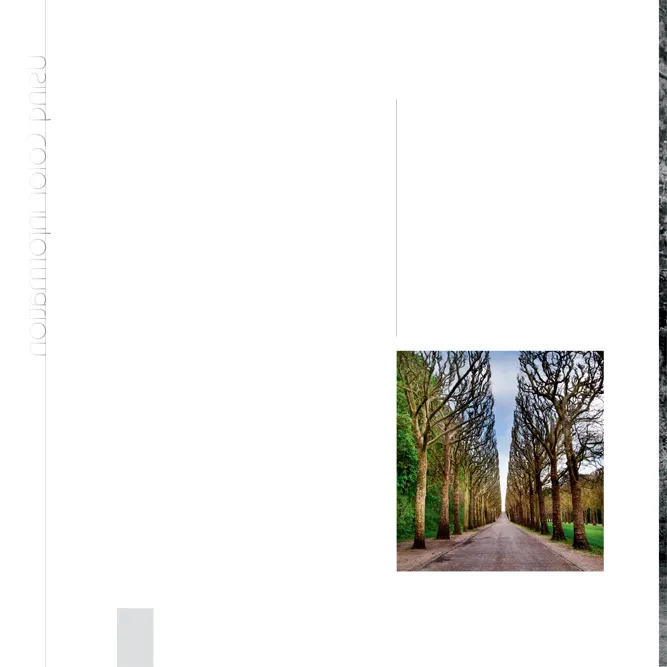
BELOW: Before converting to monochrome,
I processed this HDR image using somewhat
emphatic color settings. That way, I could use
the exaggerated color information to make
the most compelling black and white version
possible.
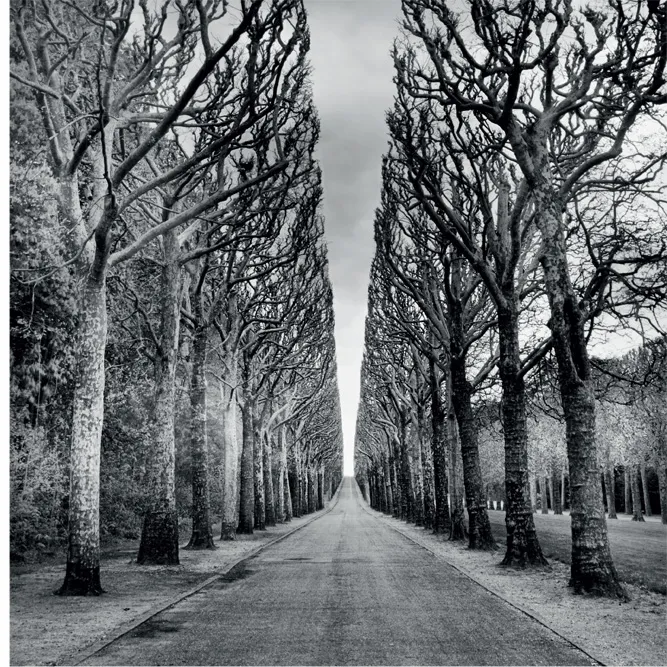
RIGHT: In capturing this seemingly endless
road outside Paris, France, I knew I wanted
to create an HDR monochromatic image to
highlight the contrast between gray sky and
the stark bare line of trees.
27mm, nine exposures at shutter speeds ranging
from 5 seconds to 1/50 of a second, each exposure
at f/25 and ISO 200, tripod mounted; exposures
combined and converted to monochrome using
Nik HDR Efex Pro and Photoshop.
152
Monochromatic HDR Photography
The Good, the Bad, and the Ugly
There is no shortage of techniques for con-
verting color images to black and white. These
techniques range from effortless and instant
to time-consuming and technical. Obviously,
there is a great deal less work involved in using
a camera setting to convert a JPEG on the
camera’s memory card to bla...