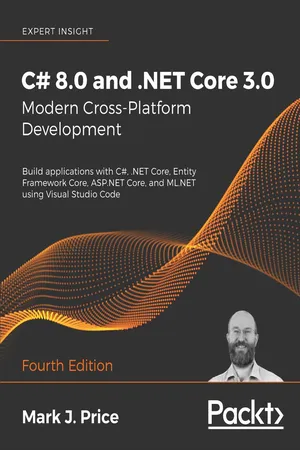
C# 8.0 and .NET Core 3.0 – Modern Cross-Platform Development
Build applications with C#, .NET Core, Entity Framework Core, ASP.NET Core, and ML.NET using Visual Studio Code, 4th Edition
- 818 pages
- English
- ePUB (mobile friendly)
- Available on iOS & Android
C# 8.0 and .NET Core 3.0 – Modern Cross-Platform Development
Build applications with C#, .NET Core, Entity Framework Core, ASP.NET Core, and ML.NET using Visual Studio Code, 4th Edition
About this book
Publisher's Note: Microsoft stops supporting.NET Core 3.1 in December 2022. The newer 7th edition of this book is available that covers.NET 7 (end-of-life May 2024) or.NET 6 (end-of-life November 2024), with C# 11 and EF Core 7.
Key Features
- Build modern, cross-platform applications with.NET Core 3.0
- Get up to speed with C#, and up to date with all the latest features of C# 8.0
- Start creating professional web applications with ASP.NET Core 3.0
Book Description
In C# 8.0 and.NET Core 3.0 – Modern Cross-Platform Development, Fourth Edition, expert teacher Mark J. Price gives you everything you need to start programming C# applications.
This latest edition uses the popular Visual Studio Code editor to work across all major operating systems. It is fully updated and expanded with new chapters on Content Management Systems (CMS) and machine learning with ML.NET.
The book covers all the topics you need. Part 1 teaches the fundamentals of C#, including object-oriented programming, and new C# 8.0 features such as nullable reference types, simplified switch pattern matching, and default interface methods. Part 2 covers the.NET Standard APIs, such as managing and querying data, monitoring and improving performance, working with the filesystem, async streams, serialization, and encryption. Part 3 provides examples of cross-platform applications you can build and deploy, such as web apps using ASP.NET Core or mobile apps using Xamarin.Forms. The book introduces three technologies for building Windows desktop applications including Windows Forms, Windows Presentation Foundation (WPF), and Universal Windows Platform (UWP) apps, as well as web applications, web services, and mobile apps.
What you will learn
- Build cross-platform applications for Windows, macOS, Linux, iOS, and Android
- Explore application development with C# 8.0 and.NET Core 3.0
- Explore ASP.NET Core 3.0 and create professional web applications
- Learn object-oriented programming and C# multitasking
- Query and manipulate data using LINQ
- Use Entity Framework Core and work with relational databases
- Discover Windows app development using the Universal Windows Platform and XAML
- Build mobile applications for iOS and Android using Xamarin.Forms
Who this book is for
Readers with some prior programming experience or with a science, technology, engineering, or mathematics (STEM) background, who want to gain a solid foundation with C# 8.0 and.NET Core 3.0.
Tools to learn more effectively

Saving Books

Keyword Search

Annotating Text

Listen to it instead
Information
Chapter 17
Building Websites Using a Content Management System
- Understanding the benefits of a CMS
- Understanding Piranha CMS
- Defining components, content types, and templates
- Testing the CMS website
Understanding the benefits of a CMS
Understanding basic CMS features
- A user interface that allows non-technical content owners to log in and manage their content.
- A content delivery system that converts the content from simple data into one or more formats, like HTML and JSON.
Understanding enterprise CMS features
- Search Engine Optimized (SEO) URLs, page titles and related metadata, sitemaps, and so on.
- Authentication and authorization including management of users, groups, and their access rights to content.
- Media asset management of images, videos, documents, and...
Table of contents
- Why subscribe?
- Contributors
- Preface
- Hello, C#! Welcome, .NET!
- Speaking C#
- Controlling Flow and Converting Types
- Writing, Debugging, and Testing Functions
- Building Your Own Types with Object-Oriented Programming
- Implementing Interfaces and Inheriting Classes
- Understanding and Packaging .NET Types
- Working with Common .NET Types
- Working with Files, Streams, and Serialization
- Protecting Your Data and Applications
- Working with Databases Using Entity Framework Core
- Querying and Manipulating Data Using LINQ
- Improving Performance and Scalability Using Multitasking
- Practical Applications of C# and .NET
- Building Websites Using ASP.NET Core Razor Pages
- Building Websites Using the Model-View-Controller Pattern
- Building Websites Using a Content Management System
- Building and Consuming Web Services
- Building Intelligent Apps Using Machine Learning
- Building Windows Desktop Apps
- Building Cross-Platform Mobile Apps Using Xamarin.Forms
- Other Books You May Enjoy
- Index
Frequently asked questions
- Essential is ideal for learners and professionals who enjoy exploring a wide range of subjects. Access the Essential Library with 800,000+ trusted titles and best-sellers across business, personal growth, and the humanities. Includes unlimited reading time and Standard Read Aloud voice.
- Complete: Perfect for advanced learners and researchers needing full, unrestricted access. Unlock 1.4M+ books across hundreds of subjects, including academic and specialized titles. The Complete Plan also includes advanced features like Premium Read Aloud and Research Assistant.
Please note we cannot support devices running on iOS 13 and Android 7 or earlier. Learn more about using the app