![]()
SECTION
1
![]()
SETTING UP FLASH CS5 FOR ANDROID DEVELOPMENT
Today, there are 5 billion people around the world using mobile phones. It is a staggering figure. No other technology is advancing at the rapid speed the mobile industry is experiencing. As a frame of reference, there are only 1.7 billion PCs being used around the world.
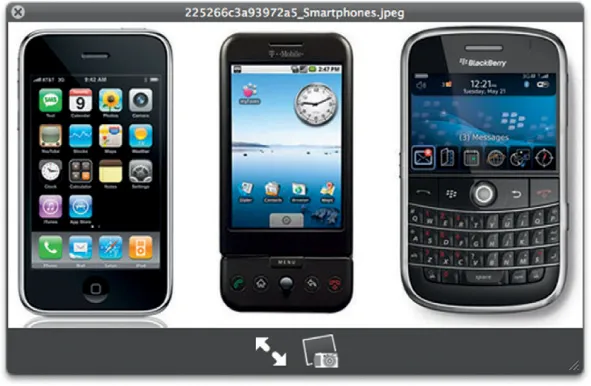
A new category of mobile phone is rapidly growing: the smart phone (Figure 1.1). Three years ago, a smart phone allowed you to send e-mail. Today, when you think smart phone, you think e-mail, web, games, MMS, video conferencing—you think of a computer in your pocket.
There are a number of companies leading the next wave of smart phone market. Google, Apple, RIM, Nokia, Microsoft, and HP (with Palm) all have their own operating systems and hardware. It seems almost every three to six months these companies leapfrog each other. Consider this—at the end of 2009, a mobile phone running at 500 MHz with a 3 MB camera was considered screaming fast. Now, you can pick up those same phones for less than $100. It you want something faster you go for 1 GHz with a 1 GB of RAM, an 8 MP camera, front and rear facing cameras, proximity devices up the wazoo, and sophisticated operating systems (OS) that rival, and in some cases exceed, what you can accomplish on your desktop. And in 2011, companies that make the ultra-efficient systemon-chip designs used in mobile phones such as Qualcomm’s Snapdragon are headed to 2 GHz with multicore infrastructures housing accelerated GPUs, CPUs, and a ton of RAM.
Figure 1.1 A small selection of smart phones.
This is not a mobile phone in your pocket. It is a screamingly fast computer.
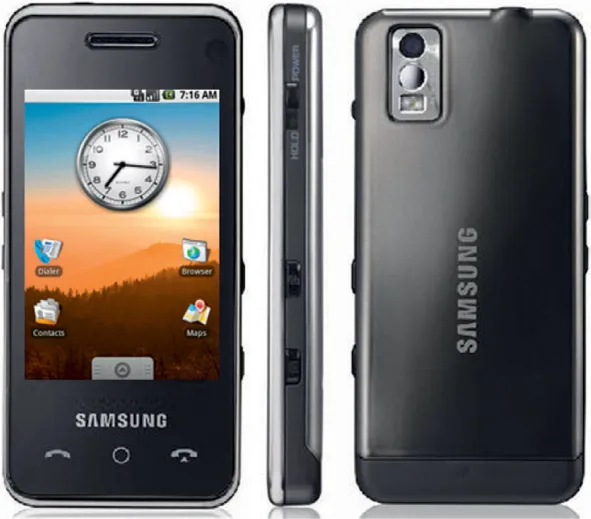
With this all said, the smart phone market is still very small. You can take all the iPhones, Android phones (Figure 1.2), and BlackBerrys and you will have less than 300 million devices worldwide. With a global figure of 5 billion mobile users, it is clear that the smart phone market has massive potential for growth.
So, what does it mean to develop for a smart phone? At the end of the day, there are essentially two ways you can develop for a smart phone:
• Develop directly to the software development kit (SDK)
• Develop using an intermediate technology
Each mobile device comes with an SDK that you can use for development. An SDK comes with the development tools, bundling tools, and emulators you need to test your code. When you need access to the latest and greatest technology, you need to use an SDK.
Figure 1.2 A Samsung Android phone.
The challenge you have with using core SDKs is that you need to use the native development language. This is different for each SDK. For instance, Apple prefers you use Objective-C whereas Google prefers you use Java.
The second way to develop mobile devices is to use an intermediate technology that allows you to build for multiple devices using only one language. An example of this is the 3D game development technology called Unity 3D. Unity uses JavaScript to let you to script your games and then converts the JavaScript into code that will allow you to build iPhone, Android, and Windows Desktop applications. The downside to using intermediate technologies is that you are dependent on the development company to update their tools to the latest SDKs and technologies. This can be hard work as the SDKs are frequently updated. For instance, Apple has updated its iOS operating system four times in three years, and Google’s Android has been updated five times in less than two years.
With that said, it is much easier to develop using intermediate languages. You can leverage skills you already have without having to go through the learning curve of adopting a new language.
In May 2010 at the Google I/O conference, Adobe announced that it would be bringing both the Flash Player and AIR (Adobe Integrated Runtime) to Google’s Android 2.2. This is really big news for Flash developers for several reasons:
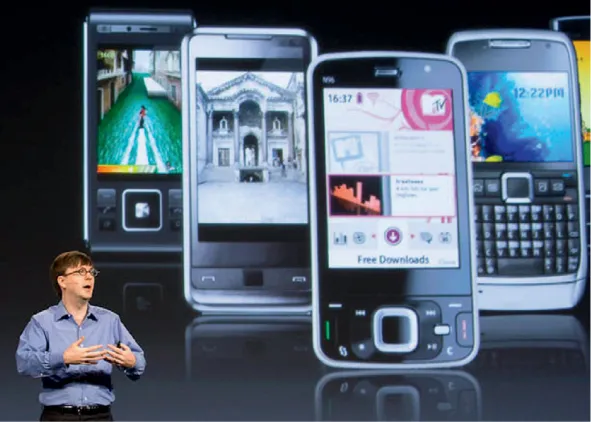
Figure 1.3 Here you can see a collection of Android phones from different providers that are all capable of running Flash and AIR.
1. The version of Flash coming to the Android is the latest 10.1 version, not some crippled alternative.
2. AIR gives you an immediate in-road into mobile device development, leveraging the tools and knowledge you already have.
3. Flash is coming to 19 other mobile device companies.
4. Android runs on tablets and TVs as well as phones.
The Flash Player that is now available for all Android 2.2 users, shown in Figure 1.3, is very efficient. There has been a lot of noise from companies such as Apple stating that Flash is a battery hog and will kill your phone’s CPU. Is this true? The reality is that it is not. Tests have been conducted showing that the Flash Player on mobile devices is highly efficient and does not cause the CPU-crippling results Apple is stating. The Flash Player works inside the browser in Android. You trigger the use of the Flash Player by tapping on the Flash content in the web page. For instance, you can view a Hulu.com video by tapping on the content in the page.
Adobe’s modification of AIR for mobile devices was the really big story at Google’s I/O. AIR is a very powerful, mobile technology. It reaches for the same goals that Java set in the 1990s: write once, run anywhere. Unlike Java, AIR really achieves its goal. AIR apps are built in the Flash Professional development environment using Flash technologies you are already used to, such as ActionScript to program your solutions, MPEG video for video, and the same animation techniques you have been using for years.
Adobe’s support for Flash on mobile devices will be coming to 19 other mobile development companies. This means th...