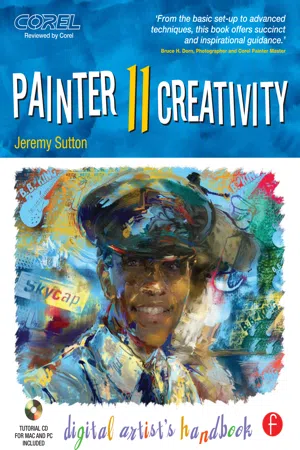
- 293 pages
- English
- ePUB (mobile friendly)
- Available on iOS & Android
About this book
Jeremy Sutton is one of the world's premier Painter artists (www.JeremySutton.com and www.PaintboxJ.com), and in this brand new edition of his best-selling Painter Creativity: Digital Artist's Handbook, he shows you the methods and techniques he's developed over the years to perfect his art and earn him the title of Corel Painter Master. This edition has been completely revamped to cover all of the new features in Corel Painter 11 and the Wacom Intuos4 pen-tablet, including:
*The new Hard Media brushes
*Complete visual summary of all brushes, new and old, in Painter 11
*Revised and updated command shortcuts
*New way of creating and controlling Reference Layers (formerly Free Transform)
*Programming suggestions for new Intuos4 Express Keys and Touch Ring
*And much more!
Inside, you'll find comprehensive coverage of the way that Jeremy uses the Painter 11 brushes and the Wacom Intuos4 pen-tablet for drawing and painting. You'll learn how to paint from scratch as well as a loose expressionistic approach to painting from photographs as you follow the clear step-by-step instructions throughout the book. Focused, in-depth case studies provide you with the expertise and guidance you'll need to become your own master of this wonderful world of digital painting. Jeremy balances technical instruction with artistic advice, including a whole chapter on going for it with color. In addition to Jeremy's own works of art, you'll find a gallery of images created by painters who have studied his methods, showing you examples of how you can apply his teaching to your own style and subject matter. Finally, be sure to check out the downloadable resources for valuable supplemental content such as four QuickTime movies as well as custom brushes, art materials and a new Painter workspace.
Tools to learn more effectively

Saving Books

Keyword Search

Annotating Text

Listen to it instead
Information
Table of contents
- Cover
- Half Title
- Dedication Page
- Title Page
- Copyright Page
- Contents
- Foreword
- Acknowledgements and Contributors
- About the Author
- Introduction
- 1 Get Ready
- 2 Brush Guide
- 3 Dive In
- 4 Painting From Photos—Preparation
- 5 Painting From Photos II—Brushwork
- 6 Painting From Photos III—Completion
- 7 Going for it with Color!
- 8 Collage Portraiture—The Art of Combining Multiple Images into a Portrait
- 9 Gallery
- Appendix Student Gallery
- Index
Frequently asked questions
- Essential is ideal for learners and professionals who enjoy exploring a wide range of subjects. Access the Essential Library with 800,000+ trusted titles and best-sellers across business, personal growth, and the humanities. Includes unlimited reading time and Standard Read Aloud voice.
- Complete: Perfect for advanced learners and researchers needing full, unrestricted access. Unlock 1.4M+ books across hundreds of subjects, including academic and specialized titles. The Complete Plan also includes advanced features like Premium Read Aloud and Research Assistant.
Please note we cannot support devices running on iOS 13 and Android 7 or earlier. Learn more about using the app