- 176 pages
- English
- ePUB (mobile friendly)
- Available on iOS & Android
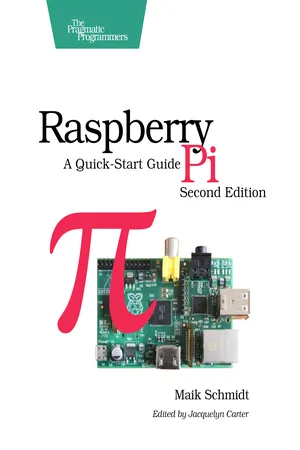
Raspberry Pi: A Quick-Start Guide
About this book
Get your Raspberry Pi up and running and doing cool stuff. You'll start with the basics: adding hardware, installing and configuring Debian Linux, and customizing the Pi's firmware to get the most out of your hardware.
Then the fun begins. You'll connect the Pi to your home network, surf the web, and tweet messages. You'll learn how to get the most out of Midori, the Pi's standard browser, and control the desktops of other PCs with the Pi. Then you'll explore the Pi's versatility with a series of home projects. Turn it into a web server in your home network; convert the Pi into a powerful multimedia center so you can watch high-definition video and listen to your favorite music; and play classic video games.
Then you'll use the GPIO pins on the Raspberry Pi to build your own electronics projects, such as an "out of memory" alarm. You'll learn how to use digital and analog sensors with the Pi' even though the Pi doesn't have analog input ports! Finally, you'll set up the Pi camera, create your own time-lapse videos, and build an automatic e-mailing burglar alarm. Power to the Pi!
Tools to learn more effectively

Saving Books

Keyword Search

Annotating Text

Listen to it instead
Information
Table of contents
- Raspberry Pi: A Quick-Start Guide, 2nd Edition
- For the Best Reading Experience...
- Table of Contents
- Praise for the First Edition of Raspberry Pi
- Acknowledgments
- Preface
- Chapter 1: Meet the Raspberry Pi
- Chapter 2: Install an Operating System
- Chapter 3: Configure Raspbian
- Chapter 4: Configure the Firmware
- Chapter 5: Intermezzo: Build a Kiosk with the Pi
- Chapter 6: Networking with the Pi
- Chapter 7: Turn the Pi into a Multimedia Center
- Chapter 8: Play Games on Your Pi
- Chapter 9: Tinker with the GPIO Pins
- Chapter 10: Working with Digital and Analog Sensors
- Chapter 11: Control the Pi Camera
- Appendix 1: A Linux Primer
Frequently asked questions
- Essential is ideal for learners and professionals who enjoy exploring a wide range of subjects. Access the Essential Library with 800,000+ trusted titles and best-sellers across business, personal growth, and the humanities. Includes unlimited reading time and Standard Read Aloud voice.
- Complete: Perfect for advanced learners and researchers needing full, unrestricted access. Unlock 1.4M+ books across hundreds of subjects, including academic and specialized titles. The Complete Plan also includes advanced features like Premium Read Aloud and Research Assistant.
Please note we cannot support devices running on iOS 13 and Android 7 or earlier. Learn more about using the app